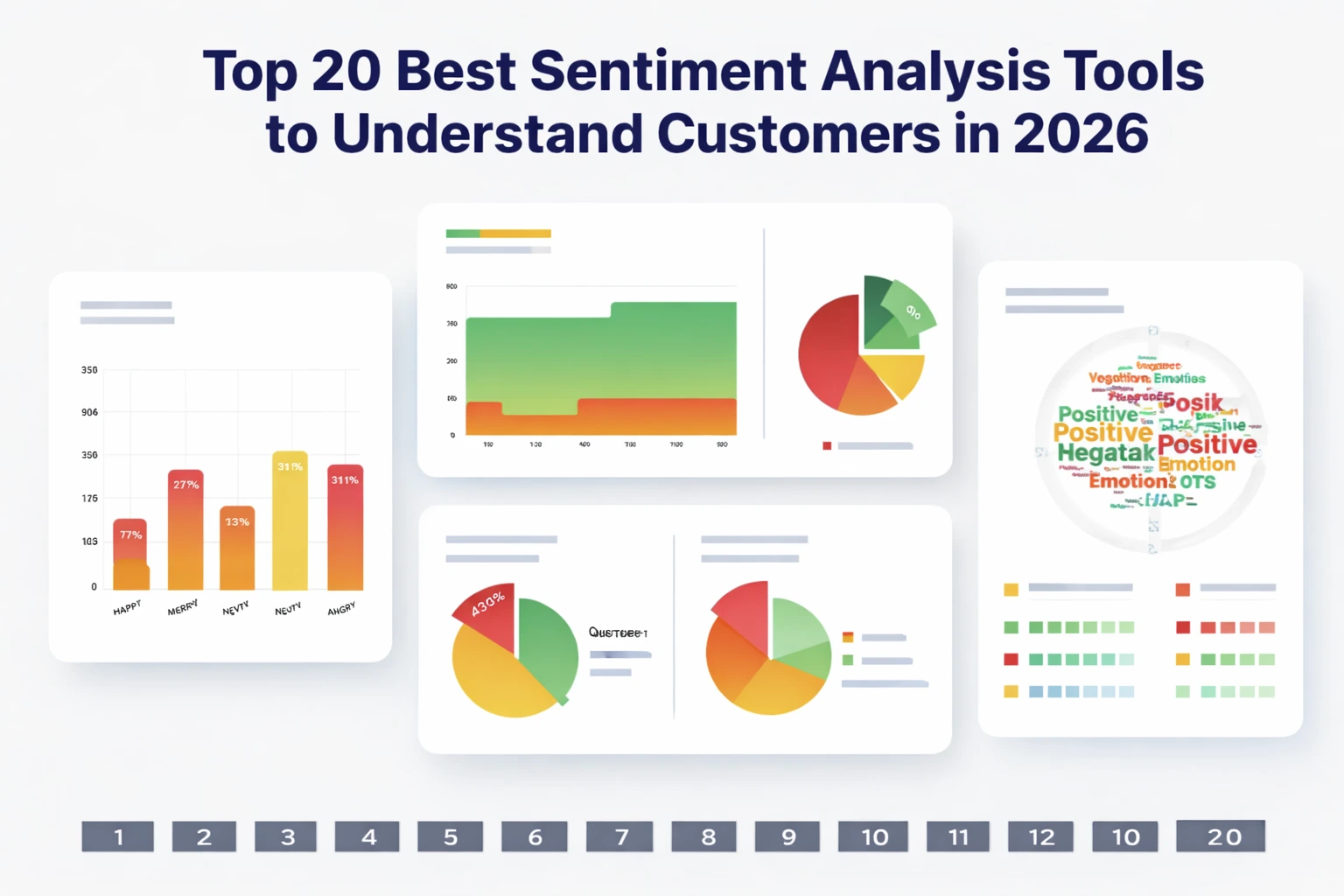
When you’re running campaigns that depend on buyer psychology, nothing stings more than guessing how customers actually feel. At Pearl Lemon Experiences, we’ve seen brands lose sales simply because they misread tone, intent, or emotional signals hidden in reviews, social posts, and support messages. That’s why picking the best sentiment analysis tools can give your team a real advantage.
We reviewed dozens of platforms and have arrived at the 20 best sentiment analysis tools that bring you sharper insights, cleaner dashboards, reliable accuracy, and deeper categorisation without drowning in complicated setups.
Below is a list of the best sentiment analysis tools to use right now:
- Brandwatch
- Talkwalker
- MonkeyLearn
- Lexalytics
- MeaningCloud
- Clarabridge
- Sprout Social
- Hootsuite Insights
- IBM Watson NLU
- Google Cloud NLP
- Meltwater
- Awario
- Repustate
- RapidMiner
- SAS Visual Text Analytics
- Qualtrics XM
- SentiStrength
- MeaningCloud Deep Categorisation
- Talkwalker QuickSearch
- OpenAI Sentiment Models
We review them in detail below. But first…
What Is Sentiment Analysis?
Sentiment analysis is the process of analysing text to determine whether the emotional tone is positive, neutral, or negative. Brands rely on it to interpret reviews, emails, surveys, chats, social media, and long-form feedback. Good tools go beyond simple polarity and extract attributes like urgency, intent, themes, triggers, and category relationships.
For a business, this matters because customer sentiment ties directly to retention, campaign performance, product adoption, and content relevance. Sentiment analysis tools help you understand what people feel even when they don’t say it directly. They also allow teams to filter feedback, prioritise complaints, refine messaging, and measure emotional shifts during campaigns.
Quick Comparison Table of the Best Sentiment Analysis Tools
| Tool Name | Best For | Starting Price | Free Trial | Key Feature | Rating |
| Brandwatch | Social monitoring | £500/mo | Yes | Deep social sentiment | 4.6 |
| Talkwalker | Enterprise insights | Custom | Yes | Multi-channel tracking | 4.5 |
| MonkeyLearn | SMB teams | £299/mo | Yes | Custom classifiers | 4.7 |
| Lexalytics | Complex text analysis | Custom | Yes | On-prem NLP | 4.3 |
| MeaningCloud | Multi-language NLP | €99/mo | Yes | Deep semantic tagging | 4.2 |
| Clarabridge | CX heavy brands | Custom | No | Contact-centre insights | 4.6 |
| Sprout Social | Social media teams | £139/mo | Yes | Social sentiment scoring | 4.5 |
| Hootsuite Insights | Social teams | £39/mo | Yes | Real-time tracking | 4.4 |
| IBM Watson NLU | Developers | £0–paid | Yes | Advanced NLP | 4.6 |
| Google Cloud NLP | Engineering teams | Pay-as-use | Yes | Auto ML sentiment | 4.5 |
| Meltwater | PR + media | Custom | Yes | Media sentiment | 4.3 |
| Awario | Startups | £29/mo | Yes | Brand monitoring | 4.6 |
| Repustate | Industry-specific NLP | Custom | Yes | Sector-tuned models | 4.4 |
| RapidMiner | Data science users | £0–paid | Yes | ML-powered sentiment | 4.6 |
| SAS Visual Text Analytics | Large enterprises | Custom | No | Rich text models | 4.4 |
| Qualtrics XM | CX research | Custom | No | Survey sentiment | 4.7 |
| SentiStrength | Academic + research | £149 | No | Short-text sentiment | 4.2 |
| MeaningCloud Deep Categorisation | Analysts | €99/mo | Yes | Domain taxonomies | 4.3 |
| QuickSearch by Talkwalker | Social teams | Custom | Yes | Audience sentiment | 4.4 |
| OpenAI Sentiment Models | Developers | Usage-based | Yes | High-accuracy LLM sentiment | 4.8 |
If you’re unsure which platform fits your volume or workflow, schedule a consultation and we’ll walk through options.
Best Sentiment Analysis Tools in 2026
1. Brandwatch – Social Intelligence With High-Accuracy Sentiment Scoring
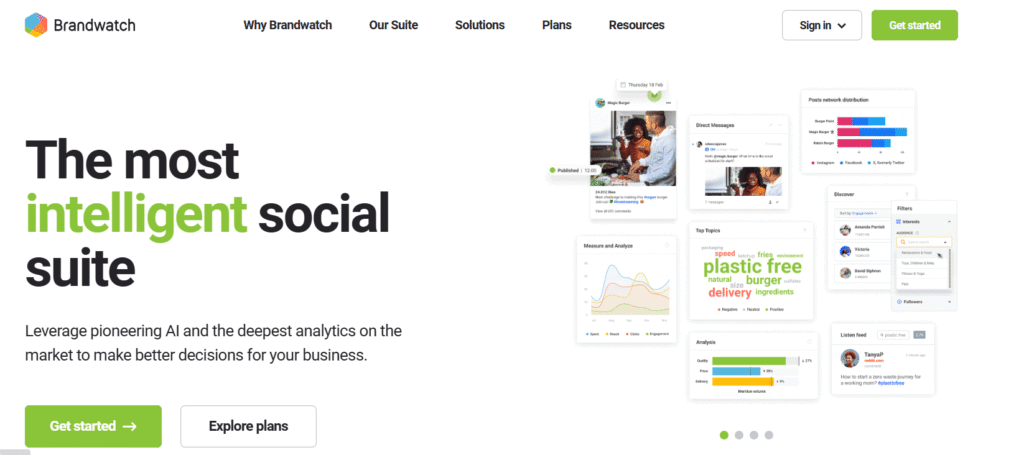
Brandwatch is widely recognised for its deep social listening and sentiment categorisation across millions of public conversations. Agencies, CX teams, and enterprise brands use it to detect emotional shifts, track audience behaviour, and map customer tone across social channels. A Brandwatch review often highlights its accuracy, large data pool, and advanced filtering. Many teams compare Brandwatch vs Talkwalker when deciding between enterprise tools, and Brandwatch pricing reflects its scale and depth.
Key Features
1. High-Precision Sentiment Engine
Brandwatch applies machine-trained sentiment rules to classify posts with strong accuracy, even in slang-heavy contexts. It helps teams understand positive, neutral, and negative signals with more detail than most mid-tier tools. This feature is central to many Brandwatch review discussions because it captures nuance without requiring manual tagging.
2. Category-Level Emotional Tracking
The platform breaks sentiment into themes, topics, and sub-topics, allowing teams to identify which areas trigger frustration or motivation. Marketers often use this to analyse product launches, campaign reactions, or competitor mentions. It’s useful when comparing Brandwatch vs Sprout Social for deeper segmentation.
3. Extensive Social Data Coverage
Brandwatch monitors content across major networks, review sites, forums, blogs, and public web sources. This wide dataset gives brands stronger sentiment accuracy since emotional cues come from varied audiences. This makes the tool attractive when weighing Brandwatch alternatives.
4. Audience Segmentation Dashboard
You can filter sentiment by demographics, regions, professions, and behavioural groups. Brands use this to refine messaging and check how different persona sets respond. It’s helpful for agencies working with multiple client niches.
5. Crisis Alerts and Rapid Response Signals
Brandwatch triggers alerts when sentiment shifts sharply. Teams use this to address viral complaints, trending issues, or sharp drops in brand favourability before they spread. Many Brandwatch features are designed around speed and clarity.
Pros & Cons
| Pros | Cons |
| Strong sentiment accuracy | Higher starting cost |
| Huge dataset coverage | Steep learning curve for new users |
| Useful for large brands | Custom pricing lacks transparency |
| Excellent topic grouping | Can produce more data than small teams can manage |
Pricing
Brandwatch pricing is custom but generally starts around £500 per month depending on data volume and features. Enterprise clients may pay more based on additional modules.
Best For Enterprise Teams Handling Large-Scale Social Sentiment
Ideal for:
• Enterprise social teams – need broad social coverage
• Agencies – require clean sentiment reporting for many clients
• CX departments – track emotional shifts in brand conversations
• PR teams – monitor sentiment risk and media reactions
• Product teams – analyse user feelings around updates
Verdict:
Brandwatch suits brands with high-volume conversations that need refined emotional interpretation. It brings clarity when thousands of customers speak at once and helps teams stay ahead of sentiment swings.
How to Use Brandwatch for Localised Sentiment Tracking
One effective method is isolating sentiment by region, city, or postcode to identify where brand messaging resonates or falls flat. Use language filters, location tags, and demographic overlays to find regional sentiment gaps, then adjust campaign copy or offers accordingly.
Best Alternative
A strong Brandwatch alternative is Talkwalker, especially for teams requiring broader multi-channel analytics rather than only social-oriented data.
2. Talkwalker – Multi-Channel Sentiment Analysis for Enterprise Research

Talkwalker is a heavy-duty platform used by enterprise brands that want sentiment analysis across social media, news outlets, forums, podcasts, video platforms, and online publications. A Talkwalker review often points to its multi-source tracking and its ability to surface emotional patterns across very large datasets. Many buyers compare Talkwalker vs Brandwatch because the two platforms are dominant in the social intelligence space. Talkwalker pricing is custom and geared toward brands with substantial monitoring needs.
Key Features
1. Multi-Channel Sentiment Engine
Talkwalker pulls sentiment from social networks, online news, broadcast media, long-form content, and visual platforms. This provides broader analysis than tools focused only on social networks, giving teams more emotional context around trending stories.
2. Image and Video Sentiment Recognition
Its AI identifies brand logos, objects, and emotional cues inside images and videos. Many Talkwalker review write-ups highlight this feature because it helps brands detect sentiment even when customers don’t type a word.
3. Trend and Theme Detection
Talkwalker groups conversations into topic clusters and flags rising emotional triggers before they expand across audiences. This is useful for monitoring campaign reactions or industry sentiment shifts.
4. Audience Conversation Mapping
You can filter sentiment by behaviour patterns, content categories, and audience identities. It helps teams understand which groups respond positively or negatively to specific messages.
5. Alerts for Sentiment Spikes
Talkwalker assigns severity levels to sentiment swings and sends alerts so teams can act quickly. This matters to PR departments who need early warnings when conversations change tone.
Pros & Cons
| Pros | Cons |
| Broadest monitoring range | Custom pricing can be expensive |
| Strong visual sentiment | Complex for small teams |
| Excellent for storytelling insights | Requires training for deeper functions |
| Reliable enterprise support | Overkill for light social monitoring |
Pricing
Talkwalker pricing is custom. Costs vary based on channels, data volume, and required integrations.
Best For Global Brands Tracking Sentiment Across Multiple Channels
• Enterprise PR teams – monitor emotional tone around brand mentions
• International brands – need multi-country sentiment
• Market research units – require rich sentiment patterns
• CX teams – analyse customer emotions across media types
Verdict:
Talkwalker’s strength lies in multi-source sentiment insights. If your conversations happen outside social media, this platform gives you broader emotional context.
How to Use Talkwalker for Multi-Market Sentiment
Set geographic filters for each region and compare sentiment scores side-by-side. This shows where messaging resonates and where dissatisfaction grows.
Best Alternative
A strong Talkwalker alternative is Brandwatch for teams focusing specifically on social sentiment depth.
3. MonkeyLearn – Customisable Sentiment Analysis for SMB and Mid-Size Teams
MonkeyLearn is a flexible text-analysis platform designed for teams wanting custom sentiment models without heavy engineering work. A MonkeyLearn review often highlights its easy setup and intuitive training workflows. Many businesses compare MonkeyLearn vs Lexalytics when deciding between cloud-based and enterprise-level solutions. MonkeyLearn pricing is more accessible than most enterprise tools, which is why smaller agencies and SaaS teams favour it.
Key Features
1. Custom Sentiment Classifiers
MonkeyLearn lets you build bespoke models by training it with your own data. This enables industry-specific or product-specific sentiment detection, which is useful when default models misinterpret your terminology.
2. Drag-and-Drop Workflow Builder
You can create processing pipelines without writing code. This helps small teams automate sentiment tasks such as categorising reviews or routing support messages.
3. Fast API for Integrations
Their API integrates easily with CRM systems, form tools, spreadsheets, and analytics platforms. Many teams use it to plug sentiment directly into dashboards.
4. Keyword and Aspect Extraction
MonkeyLearn extracts recurring words and themes tied to sentiment, giving teams insight into which elements influence emotional tone.
5. Visual Reporting
It includes charts and visual summaries for team presentations or client reporting. Many MonkeyLearn review summaries mention the clarity of its reporting layout.
Pros & Cons
| Pros | Cons |
| Easy to customise | Less suited for enterprise scale |
| No-code sentiment training | Basic UI for large datasets |
| Good for SMB budgets | Limited multi-channel coverage |
| Quick deployment | Fewer automation options than top enterprise tools |
Pricing
MonkeyLearn pricing starts at £299 per month with custom plans for higher volumes.
Best For Small and Mid-Size Teams Requiring Custom Sentiment Models
• Agencies – need tailored sentiment for client niches
• SaaS teams – analyse user feedback with industry-specific tags
• Support teams – automate routing with tone detection
• Product teams – track emotional reactions to new features
Verdict:
MonkeyLearn is ideal when you need flexible sentiment analysis without enterprise costs or engineering dependencies.
How to Use MonkeyLearn for Review Mining
Upload product reviews, train the model using positive and negative samples, and let the tool auto-categorise future reviews using custom tags that match your wording.
Best Alternative
A strong MonkeyLearn alternative is Lexalytics for teams needing deeper on-prem or enterprise-level sentiment processing.
4. Lexalytics – Sentiment Analysis Engine for Complex and Regulated Environments
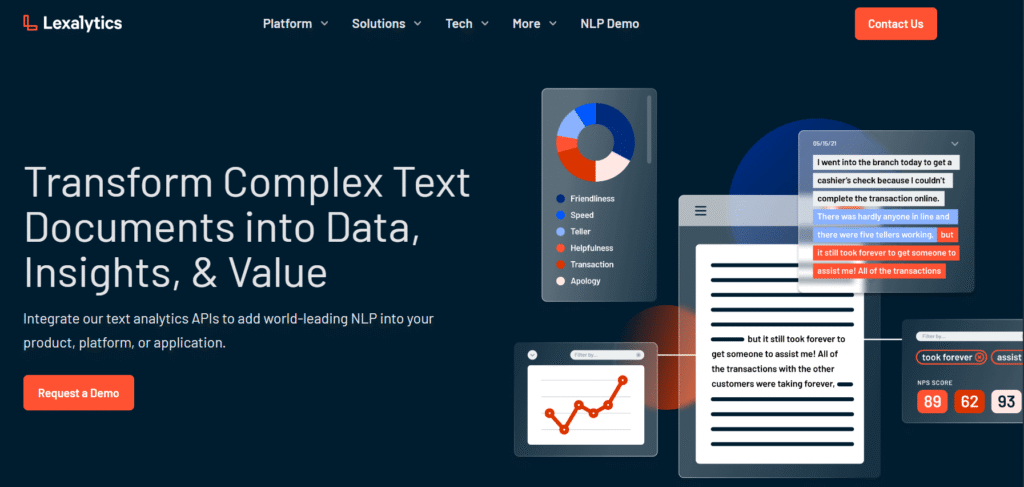
Lexalytics offers enterprise-grade sentiment analysis with both cloud and on-premise deployment, making it suitable for regulated industries like finance, insurance, and healthcare. A Lexalytics review often praises its rich linguistic framework and deep customisation. Buyers frequently compare Lexalytics vs MonkeyLearn when they need more technical control. Lexalytics pricing varies depending on deployment type.
Key Features
1. On-Premise Sentiment Deployment
You can run Lexalytics locally, protecting sensitive data while still gaining NLP sentiment capabilities. This matters to regulated industries where cloud storage isn’t always an option.
2. Industry-Tuned Models
Lexalytics includes sentiment rules for finance, hospitality, healthcare, and other sectors. This reduces misclassification and improves accuracy.
3. Advanced Entity and Theme Extraction
The tool identifies entities, topics, categories, and relationships within text. It helps analysts understand why sentiment shifts and what triggers emotional reactions.
4. Complex Polarity Scoring
Lexalytics considers modifiers, intensity, context, and sarcasm, making its sentiment scoring more detailed than single-label tools.
5. Integration With Enterprise Systems
It connects easily with BI tools, CRM platforms, and internal data stacks.
Pros & Cons
| Pros | Cons |
| On-prem support | Requires technical onboarding |
| Great for regulated sectors | Higher setup effort |
| Industry-specific sentiment models | UI less friendly than newer tools |
| Deep linguistic processing | Not ideal for small teams |
Pricing
Lexalytics pricing is custom and depends on server setup, user volume, and data scale.
Best For Large Organisations With Complex Data Requirements
• Financial institutions – sentiment monitoring without compromising compliance
• Healthcare providers – on-prem analysis of sensitive patient text
• Insurance teams – analyse claims and support messages
• Enterprise analytics groups – require rich linguistic detail
Verdict:
Lexalytics is powerful when you need sentiment analysis with strict control, data privacy, and high-detail text modelling.
How to Use Lexalytics for Compliance-Friendly Sentiment Workflows
Run sentiment models inside your internal servers to evaluate support logs, claims, or patient feedback without transferring data externally.
Best Alternative
A relevant Lexalytics alternative is MeaningCloud, especially for teams wanting strong multilingual sentiment capabilities.
5. MeaningCloud – Multilingual Sentiment Analysis With Deep Semantic Tagging
MeaningCloud focuses on multilingual sentiment analysis with semantic tagging for more detailed interpretation. A MeaningCloud review often highlights its structured approach and ability to process large volumes of global text. Many teams compare MeaningCloud vs Google Cloud NLP when choosing a multilingual solution. MeaningCloud pricing begins with affordable entry tiers.
Key Features
1. Strong Multilingual Sentiment Models
MeaningCloud supports many global languages, making it helpful for brands running international operations. It’s known for maintaining consistent accuracy across languages rather than relying only on machine-translation layers.
2. Semantic Tagging
The system identifies entities, concepts, categories, and relations, giving sentiment more context. Many MeaningCloud review comments highlight its ability to interpret emotional tone tied to specific topics.
3. Domain-Specific Models
Users can import taxonomies or custom dictionaries to refine sentiment categories for their sector.
4. Text Classification
MeaningCloud includes classification engines that tag themes, making sentiment insights easier to group across channels.
5. API-Ready Deployment
Developers can integrate it into apps, dashboards, or internal data environments.
Pros & Cons
| Pros | Cons |
| Excellent multilingual capability | Requires setup for best results |
| Affordable entry-level cost | Dashboard less modern than newer platforms |
| Good for semantic context | Limited social monitoring tools |
| Flexible taxonomy support | More technical features than casual users need |
Pricing
MeaningCloud pricing starts at €99 per month with higher tiers for enterprise volume.
Best For Global Brands With Multi-Language Sentiment Needs
• International eCom teams – analyse reviews across markets
• Support teams – interpret multi-language tickets
• Content teams – monitor sentiment in global campaigns
• Market research teams – require multilingual accuracy
Verdict:
MeaningCloud is ideal for brands operating across countries who rely on sentiment accuracy in multiple languages.
How to Use MeaningCloud for Multi-Language Support Workflows
Feed multilingual support tickets through MeaningCloud’s API to categorise emotional tone and route messages based on urgency and language.
Best Alternative
A good MeaningCloud alternative is Google Cloud NLP for teams wanting broader AI services alongside sentiment.
Many compare Google Cloud NLP vs IBM Watson when choosing between advanced cloud NLP systems. Google Cloud NLP pricing is usage-based, making it flexible for small and large teams.
6. Clarabridge – Contact-Centre Sentiment Analysis With High Granularity
Clarabridge is built for deep customer-experience analytics, focusing heavily on support tickets, call-centre transcripts, chat logs, and survey responses. A Clarabridge review often mentions its ability to dissect long-form feedback with industry-level accuracy. Many enterprise CX teams compare Clarabridge vs Qualtrics XM when choosing between full-scale experience-management platforms. Clarabridge pricing is custom and aimed at larger organisations with structured CX departments.
Key Features
1. Conversation-Level Sentiment Scoring
Clarabridge analyses long-form conversations and assigns sentiment to every line, not just the full message. This helps brands understand when a customer’s tone shifts mid-interaction.
2. Emotion Categorisation
It identifies emotional cues such as anger, confusion, satisfaction, and urgency. This is often praised in Clarabridge review write-ups because it helps support teams prioritise heated cases.
3. Root-Cause Analysis
Clarabridge detects patterns that explain why sentiment trends occur, making it easier to refine scripts, training, or policies.
4. Call-Centre Transcript Processing
The system transcribes calls and applies sentiment modelling to spoken language, allowing supervisors to spot friction points.
5. Advanced Filters for CX Teams
Filter sentiment by agent, customer type, channel, case type, and product category.
Pros & Cons
| Pros | Cons |
| Excellent for long-form feedback | Not suited for small teams |
| Emotion-level sentiment scoring | Pricing is enterprise-only |
| Strong for call-centre analytics | Requires onboarding time |
| Rich CX reporting | Less useful for social analysis |
Pricing
Clarabridge pricing is custom. Most enterprise users pay based on ticket volume and integrations.
Best For Enterprise CX Teams With Heavy Support Volumes
• Contact-centre teams – track emotional tone inside calls and chats
• CX directors – examine multi-channel sentiment trends
• Enterprise support teams – pinpoint causes of dissatisfaction
• Operations teams – evaluate agent performance objectively
Verdict:
Clarabridge excels when your customer conversations are detailed, long, and emotionally complex. It gives your CX department a clearer picture of every customer’s tone shift.
How to Use Clarabridge for Support Escalation Accuracy
Set sentiment thresholds so messages containing anger, urgency, or dissatisfaction are automatically flagged and routed to senior staff.
Best Alternative
A strong Clarabridge alternative is Qualtrics XM, which has broader experience-management features.
7. Sprout Social – Social Sentiment Tracking for Social Media Teams
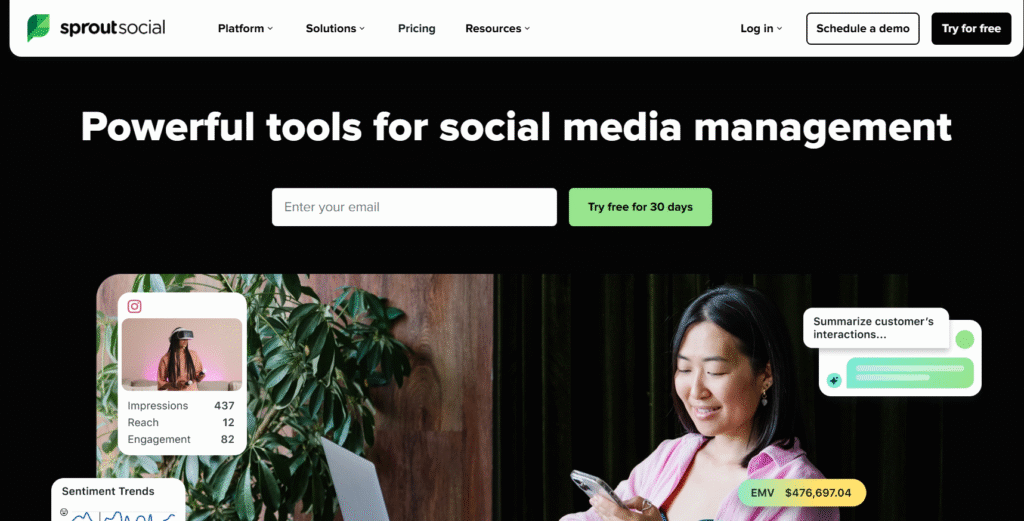
Sprout Social provides built-in sentiment analysis inside its social management suite. A Sprout Social review typically highlights ease of use, clean dashboards, and clear emotional scoring for social posts. Many teams compare Sprout Social vs Hootsuite Insights when deciding between full social suites. Sprout Social pricing places it in the mid-to-upper range depending on the plan.
Key Features
1. Automated Social Sentiment Scores
Sprout Social assigns positive, neutral, or negative tags to incoming social mentions, comments, and messages. Social teams use this to monitor brand tone without manual review.
2. Trend Identification
It highlights spikes in positive or negative sentiment so teams can react quickly to unfolding narratives.
3. Competitor Sentiment Tracking
See how audiences feel about competing brands. Many Sprout Social review summaries mention this as a deciding feature.
4. Cross-Platform Monitoring
Sentiment analysis applies across Facebook, Instagram, LinkedIn, X, and TikTok.
5. Social Listening Dashboard
Combines sentiment, conversation topics, keywords, and message context in a single view.
Pros & Cons
| Pros | Cons |
| Simple, clean sentiment reports | Not suitable for deep linguistic modelling |
| Good for social teams | Price may challenge small brands |
| Strong competitor tracking | Limited custom taxonomies |
| Easy onboarding | Not suitable for call-centre or long-form feedback |
Pricing
Sprout Social pricing starts at £139 per month per user.
Best For Social Media Teams Monitoring Brand Emotion
• Social managers – track campaign reactions
• Agencies – manage client sentiment
• eCom brands – monitor product sentiment
• PR teams – watch emotional tone during outreach
Verdict:
Sprout Social is ideal for teams needing simple sentiment scoring inside a full social platform rather than a separate sentiment tool.
How to Use Sprout Social for Competitor Sentiment Tracking
Set up listening queries for competitor names, product lines, or campaign hashtags and compare their sentiment curve against your own.
Best Alternative
A strong Sprout Social alternative is Hootsuite Insights if you need a lower entry price.
8. Hootsuite Insights – Real-Time Sentiment For Social Monitoring
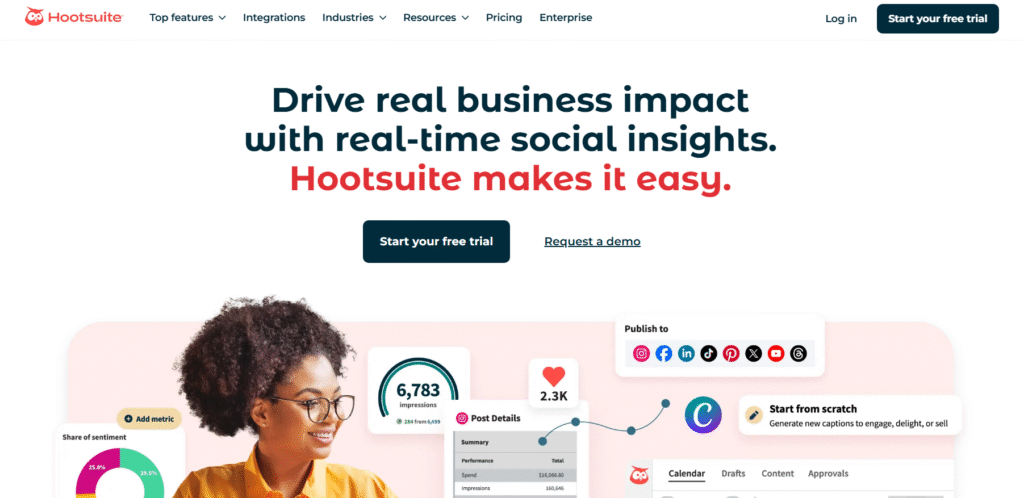
Hootsuite Insights provides sentiment scoring layered onto Hootsuite’s core social scheduling platform. A Hootsuite Insights review often notes its speed and ease of integration. Many buyers compare Hootsuite Insights vs Sprout Social because both tools serve social teams with similar workflows. Hootsuite pricing is known to be more approachable for small brands.
Key Features
1. Real-Time Sentiment Scores
Hootsuite Insights provides immediate emotional tags on new mentions, helping social teams stay on top of brand mood.
2. Trending Keyword Detection
Shows which topics shift sentiment during campaigns, product drops, or social moments.
3. Competitor Benchmarks
Compare sentiment patterns across your industry.
4. Visual Reporting
Charts display emotional shifts, giving managers quick clarity.
5. Configurable Alerts
You can set alerts when negative sentiment spikes.
Pros & Cons
| Pros | Cons |
| Affordable entry cost | More limited dataset than enterprise tools |
| Easy for beginners | Not suited for in-depth research |
| Integrated with social scheduling | Less accurate in slang-heavy industries |
| Good for small teams | Limited multi-language support |
Pricing
Hootsuite Insights usually starts around £39 per month, depending on the plan and add-ons.
Best For Small Social Teams Wanting Simple Sentiment Tools
• Startups – need clear emotional signals
• Small agencies – manage client sentiment
• Retail brands – watch product mood
• Local businesses – track local audience tone
Verdict:
Hootsuite Insights is a practical sentiment tool when you want something accessible, fast, and familiar.
How to Use Hootsuite Insights for Local Campaigns
Create listening streams tied to region-specific hashtags or location keywords so sentiment shifts appear in real time.
Best Alternative
A strong Hootsuite alternative is Sprout Social for teams needing more advanced sentiment detail.
9. IBM Watson Natural Language Understanding – Technical Sentiment Analysis for Developers

IBM Watson NLU is a sophisticated NLP system tailored for developers and data teams. An IBM Watson NLU review often highlights its strong sentiment accuracy and ability to process detailed text structures. Many compare IBM Watson NLU vs Google Cloud NLP when deciding between top-tier cloud NLP solutions. IBM Watson pricing ranges from free tiers to enterprise contracts.
Key Features
1. Granular Sentiment Analysis
Watson assigns sentiment scores at document, sentence, and entity levels. Developers can fine-tune behaviour for industry nuance.
2. Emotion Detection
It identifies joy, sadness, anger, fear, and disgust, giving more emotional depth than polarity-only tools.
3. Strong Entity Extraction
Watson tags brands, people, categories, and relationships, improving relevance in sentiment interpretation.
4. Custom Models
You can train Watson using your own labelled text.
5. API Integration
Developers can plug Watson sentiment into chatbots, dashboards, internal apps, or analytics environments.
Pros & Cons
| Pros | Cons |
| Very accurate for tech teams | Requires development skills |
| Strong emotion detection | More complex setup |
| Advanced modelling options | Not built for marketers |
| High scalability | Requires usage monitoring |
Pricing
IBM Watson NLU pricing begins with a free tier, then usage-based billing for higher volumes.
Best For Technical Teams Needing High-Control Sentiment Models
• Engineering teams – integrate sentiment into internal systems
• AI developers – train custom NLP models
• Enterprise IT departments – scale sentiment across apps
• SaaS teams – embed sentiment into product workflows
Verdict:
Watson is ideal for teams needing technical depth rather than plug-and-play sentiment dashboards.
How to Use IBM Watson for Ticket Prioritisation
Use Watson’s emotion detection to tag high-frustration messages and queue them for immediate review.
Best Alternative
A strong IBM Watson alternative is Google Cloud NLP for teams wanting AutoML support.
10. Google Cloud Natural Language – Cloud-Based Sentiment Analysis With AutoML
Google Cloud NLP is a cloud service trusted by developers who want scalable sentiment analysis without building models from scratch. A Google Cloud NLP review typically highlights its speed, accuracy, and developer-friendly ecosystem. Many compare Google Cloud NLP vs IBM Watson when choosing between advanced cloud NLP systems. Google Cloud NLP pricing is usage-based, making it flexible for small and large teams.
Key Features
1. Document, Sentence, and Entity Sentiment
Google assigns sentiment values to entire documents, specific sentences, and individual entities, making it suitable for complex text workflows.
2. AutoML Custom Training
Teams can train sentiment models using their own data sets with minimal coding effort.
3. Multilingual Support
The platform supports a wide range of languages and continues expanding its coverage.
4. Entity Recognition and Theme Detection
It identifies important names, categories, and topics tied to sentiment.
5. Fast API Integration
Teams can plug Google’s sentiment engine into websites, CRMs, BI dashboards, or internal tools.
Pros & Cons
| Pros | Cons |
| Strong accuracy | Developers required for setup |
| AutoML speeds custom training | Costs rise with heavy usage |
| Reliable multilingual models | Not a marketer-first interface |
| Highly scalable | Less interpretive detail than some enterprise tools |
Pricing
Google Cloud NLP uses a pay-as-you-go model. Costs depend on text volume and training needs.
Best For Developers Who Need Flexible Sentiment Models
• Engineering teams – build sentiment into apps
• ML teams – train custom models quickly
• SaaS companies – embed sentiment features
• Research teams – process large-scale text
Verdict:
Google Cloud NLP provides flexible sentiment analysis ideal for technical teams who want control without excessive complexity.
How to Use Google Cloud NLP for Large-Scale Review Analysis
Import thousands of customer reviews into BigQuery, call the NLP API for sentiment scoring, and aggregate results into dashboards.
Best Alternative
A relevant alternative is IBM Watson NLU, which offers more emotion categories.
11. Meltwater – Media Monitoring With Sentiment Analysis for PR and Communications

Meltwater focuses on tracking sentiment across news outlets, online publications, social platforms, and broadcast media. PR departments rely on it to interpret how journalists, commentators, and the public react to brand stories. A Meltwater review often highlights its strong media database and its ability to connect sentiment with journalist activity. Meltwater pricing is custom and often tied to media-monitoring scale.
Key Features
1. News and Editorial Sentiment Tracking
Meltwater analyses tone across news articles and media commentary, helping PR teams understand whether coverage is favourable or critical.
2. Journalist and Outlet Insights
Identify which reporters produce positive or negative sentiment around your brand, giving teams clearer outreach priorities.
3. Cross-Channel Analytics
The system monitors sentiment across media, social networks, blogs, and review sites, showing how public tone shifts across channels.
4. Crisis Monitoring Tools
Negative sentiment spikes trigger alerts, allowing PR managers to address an issue before it spreads further.
5. Campaign Reporting
Meltwater offers summaries that tie sentiment patterns to outreach activity, helping teams evaluate communication impact.
Pros & Cons
| Pros | Cons |
| Strong for media analysis | Pricing may challenge smaller teams |
| Good for PR workflows | Interface can feel dense for beginners |
| Reliable sentiment context | Limited custom NLP controls |
| Wide editorial coverage | Social insights not as detailed as social-first platforms |
Pricing
Meltwater pricing is custom and varies based on markets, number of monitored sources, and desired features.
Best For PR Teams Monitoring Brand Reputation Across Media
• PR directors – track tone across news channels
• Communications teams – measure the impact of stories
• Crisis-management units – detect negative spikes early
• Brand teams – understand how coverage shapes perception
Verdict:
Meltwater is suited to teams who rely heavily on media coverage and need sentiment tied directly to press activity.
How to Use Meltwater for Reputation Tracking
Set alerts for brand mentions tied to negative keywords so your team receives early warnings on rising critical coverage.
Best Alternative
A strong alternative for media-oriented sentiment is Talkwalker, which includes extensive publishing-source tracking.
12. Awario – Real-Time Sentiment for Startups and Small Agencies
Awario is a lightweight sentiment analysis and social monitoring tool that appeals to startups and lean teams wanting quick emotional insight without heavy software complexity. An Awario review often highlights its balance of affordability and speed. Unlike heavier enterprise platforms, Awario focuses on clarity and real-time tracking across social networks and web mentions.
Key Features
1. Real-Time Sentiment Classification
Awario tags mentions the moment they appear, giving teams instant awareness of emotional tone around their product or brand.
2. Lead-Discovery Engine
The tool identifies users who express specific needs or frustrations that align with your offering, making it useful for outreach.
3. Competitive Monitoring
Awario tracks sentiment trends for competing brands and products, giving teams a clearer sense of where they stand.
4. Simple Dashboards
Sentiment summaries are presented in clean visual views suitable for small teams needing clarity without deep analytics training.
5. Social and Web Coverage
Tracks mentions across mainstream networks, blogs, and public web content.
Pros & Cons
| Pros | Cons |
| Affordable for small teams | Not built for enterprise-scale analysis |
| Clean, simple dashboards | Lighter sentiment depth |
| Quick setup | Limited custom modelling |
| Strong for startups | Not ideal for multilingual needs |
Pricing
Awario pricing begins at £29 per month.
Best For Startups and Small Agencies Needing Fast Sentiment Signals
• Startups – track product-mood shifts quickly
• Small agencies – deliver sentiment reports without complexity
• Founders – monitor feedback during launches
• Local brands – see how communities respond online
Verdict:
Awario is ideal when you want affordable, real-time sentiment without the weight of enterprise tooling.
How to Use Awario for Small-Budget Monitoring
Set up alerts for specific product terms and local tags so Awario notifies you the moment sentiment changes direction.
Best Alternative
A relevant alternative is Hootsuite Insights for those wanting a similar entry point tied to a social management platform.
13. Repustate – Industry-Tuned Sentiment Analysis With Domain-Specific Accuracy
Repustate is designed for businesses needing sentiment tailored to specific industries such as hospitality, healthcare, financial services, and automotive markets. A Repustate review often highlights its sector-focused sentiment rules and custom taxonomies. Because Repustate can be deployed on-premise or in the cloud, it works well for organisations with strict data-control requirements.
Key Features
1. Industry-Specific Sentiment Models
Repustate includes tuned sentiment libraries for sectors where terminology can change meaning based on context.
2. Multi-Language Support
The platform processes many global languages with strong consistency, making it suitable for international brands.
3. Aspect-Based Sentiment
Repustate identifies specific attributes such as product quality, pricing, staff behaviour, or delivery reliability.
4. Video and Audio Analysis
Its engine extracts sentiment from spoken language and visual cues.
5. Deployment Flexibility
Works on-premise or in the cloud depending on regulatory needs.
Pros & Cons
| Pros | Cons |
| Useful for industry nuance | Less polished interface |
| Supports strict data requirements | Takes time to adjust settings |
| Good multi-language capability | Limited real-time alerts |
| Strong aspect-based models | Requires some technical understanding |
Pricing
Repustate pricing is custom. Costs vary depending on language packs, deployment type, and usage volumes.
Best For Organisations With Industry-Specific Language and Regulatory Needs
• Hospitality brands – track guest sentiment
• Healthcare teams – evaluate patient comments internally
• Banks and insurers – require compliant sentiment processing
• Market researchers – need topic-level emotional insight
Verdict:
Repustate is suitable for teams needing tuned sentiment for industry-specific jargon and compliance-focused data environments.
How to Use Repustate for Industry-Tuned Insights
Upload historical customer feedback and train domain models that reflect unique terminology in your field.
Best Alternative
A strong alternative is Lexalytics, especially if on-prem deployment is a priority.
14. RapidMiner – Machine-Learning Sentiment Framework for Data Science Teams
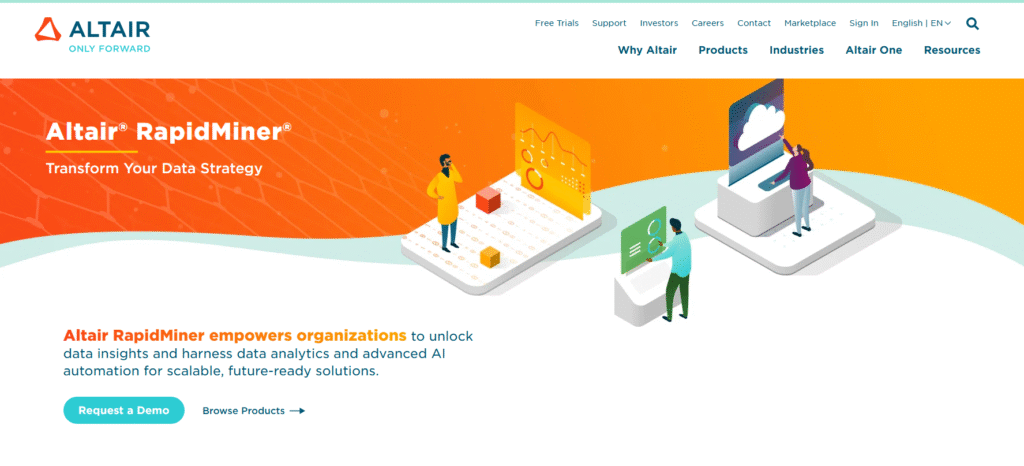
RapidMiner is a powerful machine-learning and analytics platform that includes sentiment modelling as part of its workflow engine. Data teams favour it because it allows full control over algorithms, pipelines, and training sets. A RapidMiner review often highlights the platform’s modular design and its compatibility with large-scale data environments.
Key Features
1. Custom ML Pipelines
RapidMiner lets users create machine-learning sentiment workflows with detailed tuning of models and feature sets.
2. Prebuilt Sentiment Operators
Sentiment tools are built into the workflow engine, allowing quick setup for classification and text analysis.
3. Data Integration Flexibility
It connects to databases, spreadsheets, cloud storage, and BI tools for large-scale text ingestion.
4. Strong Visual Workflow Builder
Data scientists can build advanced processes without constantly writing code.
5. Automation and Scheduling
Sentiment analysis can run on fixed intervals to process continuous data streams.
Pros & Cons
| Pros | Cons |
| Strong for machine learning | Less suitable for non-technical teams |
| Highly flexible | Requires understanding of ML concepts |
| Scales easily | Interface may overwhelm casual users |
| Prebuilt tools reduce coding | Lacks social listening features |
Pricing
RapidMiner offers free and paid tiers. Costs vary with enterprise usage and support needs.
Best For Data Science Teams Building Custom Sentiment Models
• Data scientists – create advanced pipelines
• Enterprise analytics groups – evaluate high-volume text
• Researchers – test algorithms and classifiers
• Engineering teams – integrate ML into internal systems
Verdict:
RapidMiner is ideal when you want full control over sentiment modelling instead of relying on boxed-in presets.
How to Use RapidMiner for Automated Review Sentiment
Set up a workflow that ingests reviews daily, runs sentiment classification, and exports scored data into a BI dashboard.
Best Alternative
A good alternative is Google Cloud NLP for teams wanting simpler setup with cloud automation.
15. SAS Visual Text Analytics – Enterprise Sentiment Processing for Large Corporations
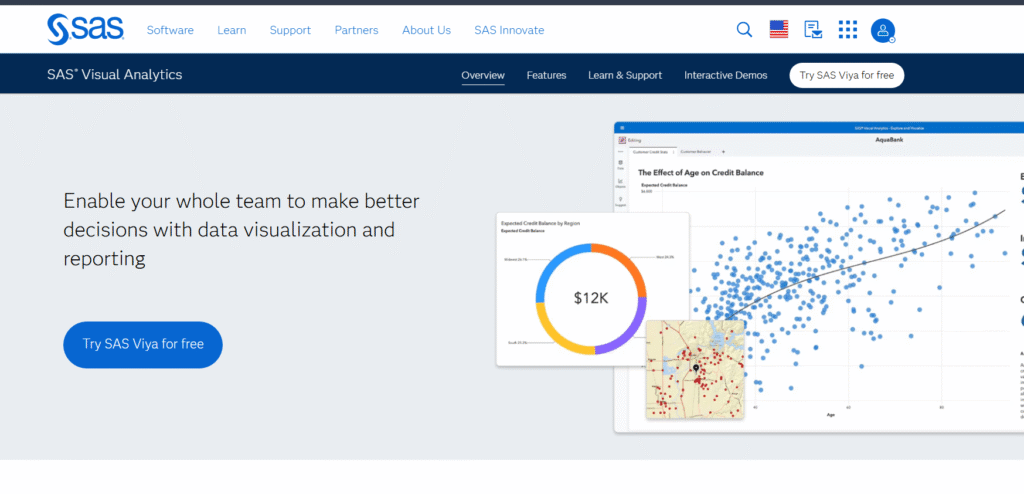
SAS Visual Text Analytics is designed for organisations that deal with enormous volumes of unstructured text. Corporate data teams rely on SAS because it integrates with enterprise data lakes and offers sentiment processing at scale. A SAS Visual Text Analytics review often mentions its linguistic depth and strong governance controls.
Key Features
1. High-Volume Text Processing
SAS handles massive datasets efficiently, making it suited to large enterprises.
2. Custom Linguistic Rules
Teams can modify sentiment lexicons, patterns, and rules for domain-specific contexts.
3. Entity and Theme Extraction
SAS provides detailed tagging of concepts, relationships, and emotional drivers within text.
4. Integration With Enterprise Data Environments
Works smoothly with data warehouses, lakes, and corporate analytics systems.
5. Compliance-Friendly Controls
SAS includes governance features needed by finance, healthcare, and government teams.
Pros & Cons
| Pros | Cons |
| Industrial-level scalability | Pricing aimed at large enterprises |
| Strong linguistic customisation | Not suited for small teams |
| Powerful data integration | Requires technical resources |
| Robust governance controls | Longer onboarding process |
Pricing
SAS Visual Text Analytics pricing is custom. Costs are typically enterprise-level.
Best For Large Corporations Handling Massive Data Volumes
• Enterprise analytics teams – require large-scale sentiment
• Financial institutions – prioritise data governance
• Healthcare organisations – manage sensitive text
• Government departments – need secure sentiment classification
Verdict:
SAS Visual Text Analytics is built for large organisations that treat sentiment analysis as part of a broad data infrastructure.
How to Use SAS for Enterprise-Level Sentiment Mining
Set up automated ingestion pipelines that feed text from multiple business units into SAS for unified sentiment scoring.
Best Alternative
A strong alternative is Lexalytics for teams that need controlled on-premise sentiment without the full SAS ecosystem.
16. Qualtrics XM – Sentiment Analysis for Surveys and Customer Experience Programs
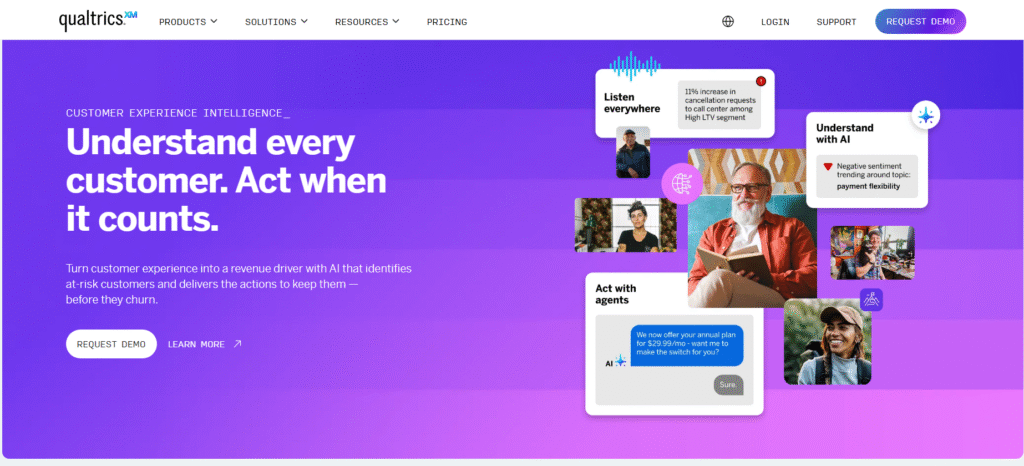
Qualtrics XM is widely used by CX, product, and research teams who depend on structured feedback such as surveys, form responses, and customer interviews. A Qualtrics XM review often highlights its ability to apply sentiment analysis across open-text responses with reliable accuracy. Qualtrics ties sentiment directly to experience scores, making it useful for brands running large-scale feedback programs. Pricing aligns with enterprise requirements and varies by module.
Key Features
1. Open-Text Sentiment for Surveys
Qualtrics automatically analyses written survey responses, tagging emotion, tone, and intention. This gives teams deeper insight beyond numeric scores.
2. Topic and Theme Detection
The system groups responses into clusters, showing the themes that influence satisfaction and frustration.
3. Multi-Channel Experience Analytics
You can analyse sentiment across surveys, support tickets, chats, and feedback forms, creating a unified view of emotional signals.
4. Predictive Models
Qualtrics identifies which sentiment patterns correlate with churn or satisfaction shifts, helping teams prioritise actions.
5. Flexible Dashboards
Visual reporting highlights emotional drivers behind key customer-experience metrics.
Pros & Cons
| Pros | Cons |
| Strong survey sentiment | Enterprise-level pricing |
| Good for feedback-heavy teams | Can feel complex at first |
| Reliable analytics | Not ideal for social-only workflows |
| Rich reporting | Some advanced features require training |
Pricing
Qualtrics pricing is custom, based on modules, integrations, and usage volume.
Best For Organisations Running Large Feedback Programs
• CX leaders – interpret emotional patterns across surveys
• Research departments – process open-text responses at scale
• Product teams – spot feature sentiment shifts
• Support leadership – link sentiment with ticket trends
Verdict:
Qualtrics is ideal for teams deep in the feedback cycle who need sentiment connected directly to customer-experience metrics.
How to Use Qualtrics for Survey Interpretation
Add open-text questions to your surveys, then let Qualtrics classify sentiment and tie those emotional insights to NPS or CSAT trends.
Best Alternative
A strong alternative is Clarabridge, especially for organisations with call-centre heavy workflows.
17. SentiStrength – Short-Text Sentiment Analysis for Academics and Research Teams
SentiStrength specialises in analysing short social posts, brief comments, and compact text where emotional cues appear in few words. Academic researchers use it for sentiment scoring on social media datasets. A SentiStrength review often focuses on its accuracy in contexts like slang, sarcasm, and compact emotional language.
Key Features
1. Short-Text Sentiment Optimisation
SentiStrength detects sentiment in fragments, emoticons, and informal writing that typical NLP engines struggle with.
2. Dual-Score System
Outputs both positive and negative scores simultaneously, giving a fuller emotional picture.
3. Social-Media Focus
Optimised for platforms where posts are short, fast, and emotionally charged.
4. Easy Local Deployment
Runs locally without needing a cloud setup, making it practical for academic projects.
5. Export-Friendly Outputs
Outputs data in formats compatible with research tools.
Pros & Cons
| Pros | Cons |
| Very accurate for short text | Not suitable for long documents |
| Works offline | Limited visual dashboards |
| Simple controls | Basic UI |
| Good for research datasets | Fewer enterprise integrations |
Pricing
A one-time licence is typically £149 for academic or commercial use.
Best For Research Teams Working With Short Social Text
• Academic researchers – study social sentiment
• Data analysts – process large short-form datasets
• Social-media researchers – measure emotional tone in posts
• Government analysts – evaluate civic sentiment at scale
Verdict:
SentiStrength is ideal when your dataset consists of short and highly expressive text where traditional sentiment tools struggle.
How to Use SentiStrength for Social-Media Datasets
Import posts into SentiStrength, export dual sentiment scores, and visualise them in a BI tool to identify emotional waves.
Best Alternative
A suitable alternative is Awario, which also works well with short social mentions.
18. MeaningCloud Deep Categorisation – Advanced Taxonomy-Driven Sentiment
MeaningCloud Deep Categorisation extends MeaningCloud’s standard sentiment engine with domain-specific categorisation. This tool appeals to analysts who need structured sentiment tied to detailed categories such as product attributes, compliance factors, or operational tags.
Key Features
1. Custom Taxonomy Models
You can build hierarchical category structures and map sentiment to them, making insights more precise.
2. Domain-Driven Analysis
Ideal for industries where sentiment depends on specific attributes, such as delivery, pricing, product defects, or service stages.
3. Multi-Language Support
Retains the multilingual strengths of MeaningCloud, useful for global datasets.
4. Category-Specific Polarity
Sentiment can differ by category within the same text, giving a clearer picture of customer priorities.
5. API-Integrated
Easy to embed in BI tools or internal workflows.
Pros & Cons
| Pros | Cons |
| Excellent for categorised analysis | More setup work required |
| Multilingual | Can feel technical for beginners |
| Strong domain control | Not ideal for casual sentiment use |
| Good API tools | Interface focused on analysts |
Pricing
Pricing usually starts at €99 per month, depending on usage.
Best For Analysts Needing Category-Specific Sentiment
• Market research teams – detailed topic breakdowns
• Large eCom brands – map sentiment to product attributes
• Operations teams – tie sentiment to specific workflow stages
• Manufacturers – gauge sentiment about product components
Verdict:
MeaningCloud Deep Categorisation is ideal when you need structured sentiment that aligns with detailed business taxonomies.
How to Use MeaningCloud Deep Categorisation in Product Analysis
Upload customer reviews and classify sentiment by product attribute—quality, packaging, pricing, or delivery—to pinpoint priorities.
Best Alternative
A relevant alternative is Repustate, which also specialises in industry-specific categorisations.
19. Talkwalker QuickSearch – Instant Sentiment Snapshots for Fast Social Insights
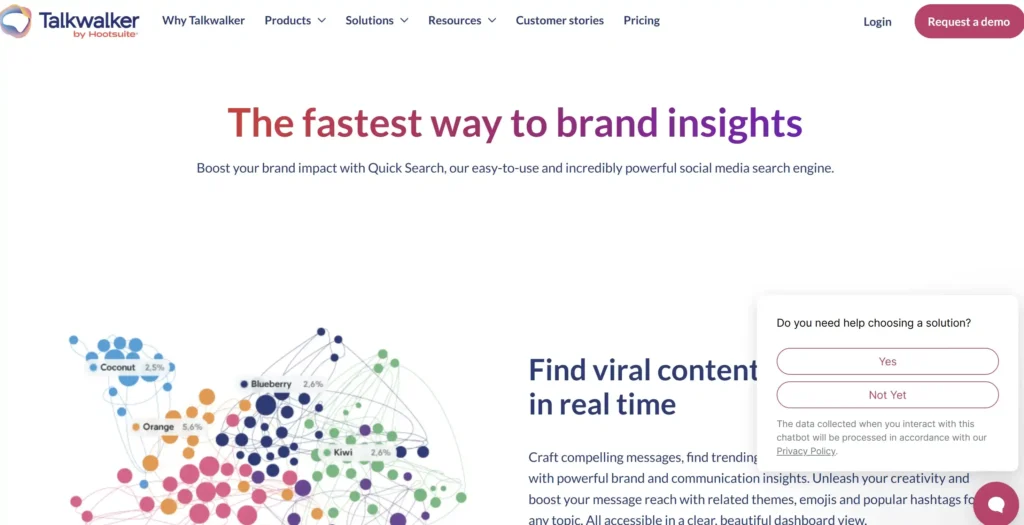
QuickSearch is Talkwalker’s discovery engine built for rapid insight rather than full-scale monitoring. It’s used by social teams who want instant sentiment snapshots for campaigns, trending topics, or competitor checks. Unlike full Talkwalker suites, QuickSearch is simpler and focuses on speed.
Key Features
1. Quick Sentiment Snapshots
Offers instant emotional overviews for brands, hashtags, and topics without building complex dashboards.
2. Topic and Hashtag Discovery
QuickSearch surfaces related themes and tags tied to sentiment peaks.
3. Audience Insights
Shows demographic and interest groups responding to each topic.
4. Share of Voice Visualisation
Quickly compare how often your brand appears in conversations relative to competitors.
5. Real-Time Search
Pulls fresh data quickly, supporting reactive decisions.
Pros & Cons
| Pros | Cons |
| Fast insights | Not built for deep research |
| Simple interface | Fewer custom options |
| Great for campaign checks | Limited multi-channel tracking |
| Useful for brainstorming | Not suitable for long-term monitoring alone |
Pricing
Pricing for QuickSearch is custom and often lower than the full Talkwalker suite.
Best For Social Teams Needing Fast Insight Without Heavy Setup
• Social media managers – quick topic checks
• PR teams – rapid sentiment reads
• Campaign managers – mood checks before launch
• Content teams – find trending emotional cues
Verdict:
QuickSearch is excellent for fast, surface-level sentiment when you don’t need an enterprise system.
How to Use QuickSearch in Campaign Planning
Search your campaign hashtag or slogan to see sentiment and themes before launch. Adjust messaging based on immediate emotional response patterns.
Best Alternative
A simple alternative is Sprout Social, which also provides fast sentiment cues.
20. OpenAI Sentiment Models – High-Accuracy Sentiment Powered by Large Language Models
OpenAI sentiment models deliver detailed tone analysis using advanced LLM reasoning. These models detect nuance, subtle emotion, sarcasm, and multi-intent sentiment more accurately than many rule-based tools. Teams use them for custom workflows, chatbots, content analysis, or product feedback interpretation.
Key Features
1. Nuanced Sentiment Interpretation
LLM-based sentiment picks up subtle emotional shifts, making it highly reliable for unstructured, informal, or context-heavy text.
2. Custom Prompts and Instructions
Teams can shape sentiment behaviour with prompt engineering, allowing flexible outputs without building full ML models.
3. Multi-Label Emotional Detection
Models can output multiple emotions at once when text carries mixed signals.
4. Strong Context Handling
The model evaluates text as a whole and understands implied tone rather than relying solely on keywords.
5. API-Friendly Deployment
Easy integration into internal systems, feedback aggregators, and product analytics tools.
Pros & Cons
| Pros | Cons |
| Very high accuracy | Requires thoughtful prompts |
| Flexible output formats | Usage billed per token |
| Great for complex text | Needs technical oversight |
| Granular emotional detail | Not built as a standalone dashboard |
Pricing
Pricing is usage-based, depending on tokens processed.
Best For Teams Requiring Highly Flexible and Nuanced Sentiment
• Developers – incorporate sentiment in apps
• Product teams – refine feature sentiment patterns
• Market researchers – interpret complex open text
• CX teams – score long-form complaints with nuance
Verdict:
OpenAI models are ideal when you need sentiment analysis that can understand tone with human-like subtlety.
How to Use OpenAI Sentiment Models for Deep Emotion Scoring
Create prompts that label emotions individually anger, disappointment, curiosity, satisfaction and run them against feedback datasets for granular interpretation.
Best Alternative
A useful alternative is IBM Watson NLU, especially for teams needing structured outputs with defined emotion categories.
The Bottom Line
This list of the best sentiment analysis tools gives you a clear path to understanding customer emotion without relying on guesswork. The right platform depends on your channels, industry, data volume, and how precise you need your emotional scoring to be.
Pick one that fits your workflow and test it this week so your team isn’t reacting blindly to customer emotion anymore.
If you want guidance in choosing a tool that matches your volume, channels, and goals, talk to us at Pearl Lemon Experience.
How Pearl Lemon Experience Supports Your Sentiment Strategy
At Pearl Lemon Experience, we structure sentiment analysis into clear, actionable steps that tie directly to customer experience outcomes. Instead of leaving you with dashboards that drown you in broad percentages, we analyse emotional triggers inside reviews, support logs, chats, and social feedback.
Our approach highlights friction points your team can fix, messaging patterns customers respond to, and micro-shifts in tone that predict churn risk.
If you want support building a sentiment workflow that connects emotion with customer retention, conversions, and CX clarity, schedule a consultation and we’ll walk you through the options that suit your current stage and feedback volume.
Frequently Asked Questions
1. What is the most accurate sentiment analysis tool for deep emotional nuance?
LLM-based sentiment engines such as OpenAI sentiment models provide detailed interpretation of tone, mixed signals, and context-heavy text.
2. Which sentiment analysis tool works best for social media tracking?
Platforms like Brandwatch, Talkwalker, and Sprout Social are designed for large volumes of social data, offering fast sentiment classification and trend detection.
3. Can sentiment analysis detect sarcasm or indirect negative tone?
Advanced models using contextual NLP can pick up sarcasm and indirect tone, especially when trained with domain-specific examples.
4. What tool is best for multilingual sentiment analysis?
MeaningCloud and Google Cloud NLP provide strong multilingual pipelines, maintaining sentiment accuracy without requiring manual translation.
5. Does sentiment analysis work on audio and call transcripts?
Tools such as Clarabridge and Repustate can analyse call transcripts and identify emotional patterns in spoken language.
6. What’s the difference between polarity sentiment and aspect-based sentiment?
Polarity gives a positive, neutral, or negative score. Aspect-based sentiment links emotion to specific topics such as pricing, delivery, or support interactions.
7. Which sentiment tool is best for developers?
IBM Watson NLU, Google Cloud NLP, and OpenAI sentiment models are preferred by engineering teams due to flexible APIs and training options.
8. Can sentiment analysis help reduce customer churn?
Yes, identifying negative trends in support tickets, reviews, and surveys highlights issues early so teams can resolve concerns before customers leave.
9. What sentiment tools work well for small brands?
Awario, Hootsuite Insights, and MonkeyLearn offer accessible entry points for small teams needing clear emotional signals.
10. How accurate is sentiment analysis?
Accuracy depends on language complexity, data volume, and industry context. Custom-trained models and LLM-based systems generally deliver the strongest performance.